On the sets screen
Open a machine and its how-to video is waiting above Last time and Try today. It plays only when you tap play.

A how-to video sits on top of every machine you log, with the muscles it works and step-by-step tips. Watch it, then start your sets from the same screen.
Invite-only beta · Feature availability depends on setup and testing.
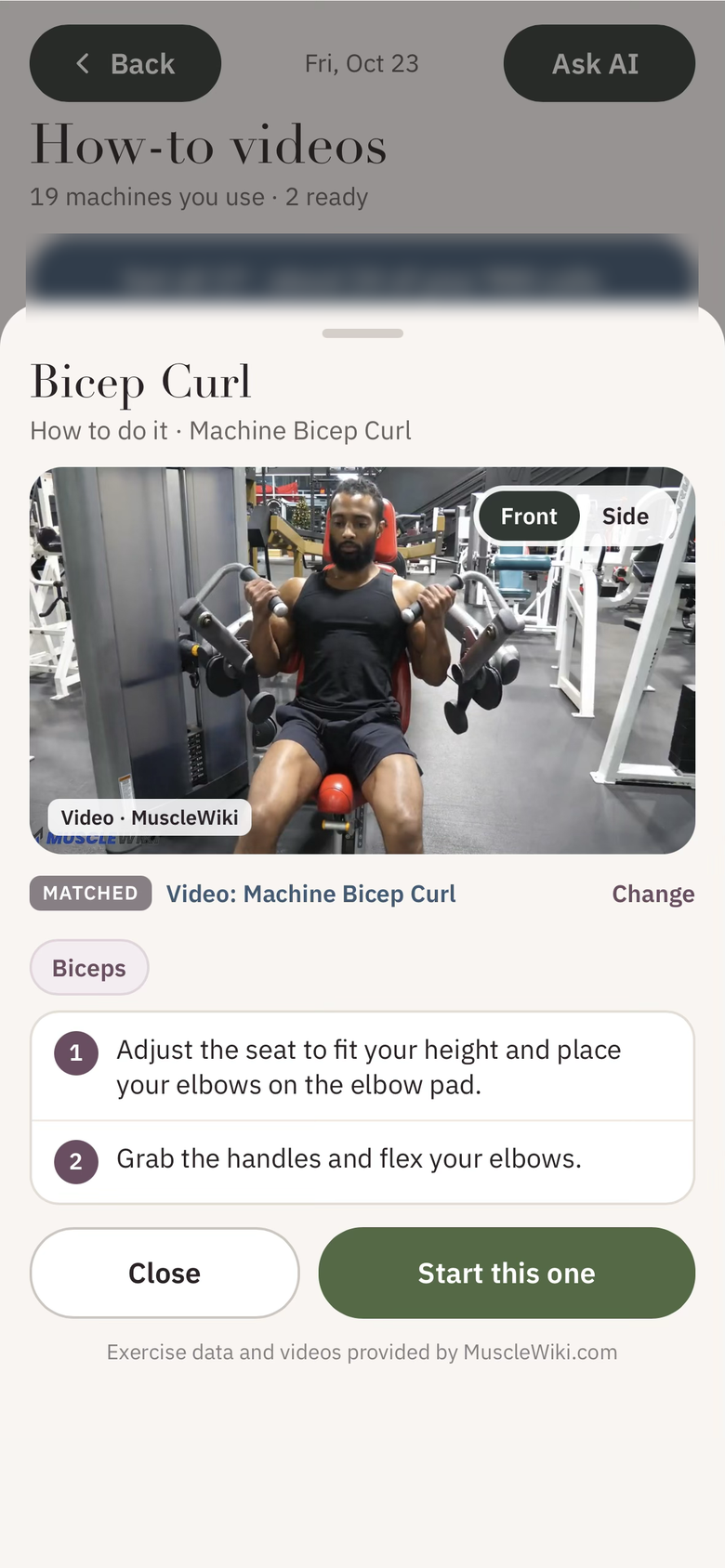
Real beta screen · Video from MuscleWiki
What it does
Open a machine and its how-to video is waiting above Last time and Try today. It plays only when you tap play.
Switch the camera angle where MuscleWiki offers more than one, so you can check your position from both sides.
See the main muscles worked and the steps for the movement, then tap Start this one to begin your sets.
How-to videos in Fitness lists every machine you use. Load them one at a time or all at once; loaded videos stay ready for 30 days.
Paired with Explore your gym, the videos help people new to the gym learn each machine before their first set.
Videos are matched by exercise name, and you can tap Change to pick a different match. Not every machine or exercise has one yet. Exercise data and videos provided by MuscleWiki.com.
Invite-only beta
Explore an app built around how you eat, train, shop, and live.
A web app for your phone or computer. No app-store download required.